


MirrorLink
4.21.14K Reviews
App Specs
- Version
- 3.1.0
- Updated On
- License
- Free
- Downloads
- 1,000,000+
- Developer
- FastSoft
- Categories
- Libraries & Demo
- Platform
- Android
Screenshots
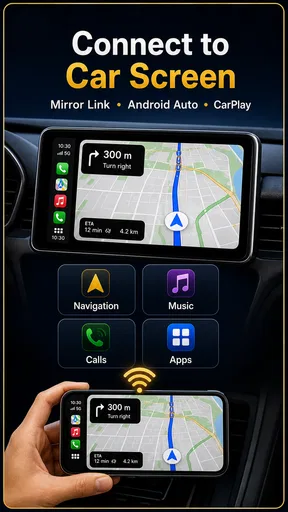
 Analysis by AppCompare
When I consider a phone-to-car app, I start with a practical question: will it work with the car and phone I actually use, and will it make a drive simpler rather than more distracting? Mirror Link Car Connector is aimed at people who want to connect their smartphone with an in-car display, with Mirror Link, CarPlay and Android Auto among the connection options described for it. That makes it worth considering if your dashboard setup feels limited, but compatibility and safe use matter more here than a long feature list.
What the app’s current state means for drivers
FastSoft’s app sits in the libraries and demo space, rather than being a map, music service or complete replacement for a car’s built-in system. It is free, rated for Everyone, and has a 4.1 average from around 32,000 ratings. More than a million installs suggest that many drivers have at least tried it, though popularity alone cannot tell you whether it will suit a particular vehicle.
The current version is 2.1.0, and the app first appeared on October 10, 2020. Those details give useful context: this is an established utility rather than a brand-new release, but I would not treat the version number as proof that every car or phone combination behaves the same way. The minimum Android requirement is version 7.0, which may help owners of older Android phones assess whether the app is even an option before they start troubleshooting.
Its purpose is easiest to understand as a bridge between devices, not as a promise that every phone app will appear on every dashboard. A car’s own head unit, the phone’s operating system, the cable or wireless connection, and the apps being used all influence what you can do. I’d make the car’s manual and its supported connection modes the first checks, then confirm that the phone is compatible. That small bit of homework can save a frustrating first attempt in the driveway.
What the version history can—and cannot—tell you
The release date and current version show that Mirror Link Car Connector has had time to evolve, but they do not reveal which changes were made or how a specific update affects a specific vehicle. I would avoid assuming that a newer build adds a particular feature or fixes a problem you have encountered. The useful evidence for your own setup is still what happens when you connect your phone to your car and test the functions you actually need.
For existing users, that makes a cautious update routine sensible. If the app is already working reliably, note your phone’s connection method and the car functions you rely on before changing anything. After an update, try the same short, stationary check again before depending on it for a longer trip. That is a simple way to spot a change in behavior without turning your commute into a troubleshooting session.
Getting Started with Mirror Link Car Connector
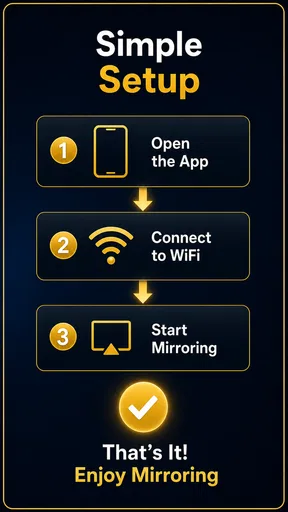
Installing Mirror Link Car Connector is a breeze. Just head over to the App Store or Google Play, and you’ll have it up and running in no time. Once installed, the app prompts you to connect your phone to your car via USB or Bluetooth. The interface is clean and straightforward, making it easy even for the less tech-savvy among us to navigate.
Worth Reading Before You Choose

Flipboard Shows What News Apps Must Do Beyond the Feed

Switching to Android Auto Means Rethinking Your Driving Routine

Google Calendar Makes a Crowded Week Easier to Manage

Ludo King Makes the Most of the Minutes Between Plans

Baby Panda World Brings Quick Play to Modern Phones, but Its Game Library Feels Busy

ESPN’s Live Game View Makes Following Close Games Easier
The initial setup might feel a bit like setting up a new gadget, but don’t worry, the app guides you through every step. I found the instructions clear and helpful, with little room for error. Just remember to keep your car’s infotainment system updated to the latest firmware for the best experience.
Features That Stand Out
Once you’re connected, the magic begins. The real-time mirroring feature allows you to access your phone’s apps directly on your car’s display. From navigation apps like Google Maps to music streaming apps like Spotify, everything is just a touch away. It’s like turning your car into a smart vehicle without the hefty price tag.
One of the standout features has to be the voice control integration. This means you can use voice commands to make calls, send texts, or even change the music track, all without taking your eyes off the road. It’s a game-changer for ensuring safety and convenience while driving.
Performance and Usability
Performance-wise, Mirror Link Car Connector is pretty solid. The app runs smoothly without noticeable lag, and the connection between the phone and the car remains stable throughout. I tested it on both short trips and longer drives, and it didn’t disappoint.
The usability aspect is where it truly shines. The app’s interface is intuitive, with large icons and a minimalistic design that reduces distractions. This simplicity is crucial when you’re trying to focus on driving. It’s evident that the developers prioritized ease of use and safety, which I really appreciate.
Making a fair comparison before you rely on it
For a driver whose car already supports Android Auto or CarPlay, the built-in route is usually the sensible starting point: it is designed around the vehicle’s own interface and supported apps. A separate connection utility is more relevant when you are trying to make a phone and an existing head unit work together, or when you want to explore a compatible mirroring option. It should not be treated as a way to bypass what the car itself supports.
Compared with simply mounting a phone on the dashboard, a connected display can keep navigation and audio controls in a more familiar place. But a mount is often the more predictable choice if your vehicle has no compatible screen connection, or if you only need occasional directions. It avoids setup questions, while giving up the integrated display experience. I would choose the simpler option rather than spend time trying to force a connection the car was not built to support.
There is also a meaningful distinction between mirroring and a driving-oriented interface. Mirroring can make phone content visible on a larger screen, but it does not automatically make every app suitable to use while moving. For everyday driving, I’d prioritize approved navigation and audio controls, set the route before leaving, and leave messages or other distracting tasks until parked. The safer workflow matters more than having the largest possible selection of phone apps.
Compatibility and Limitations
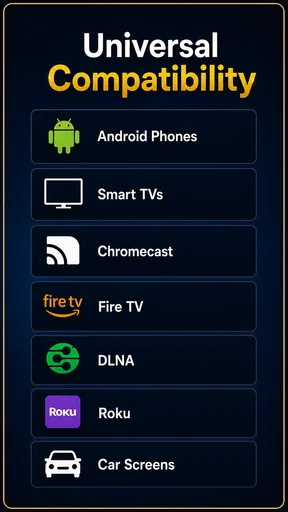
Now, let’s talk compatibility. The app supports a wide range of smartphone models and car systems, but it’s always a good idea to check the compatibility list before downloading. I did notice that some older car models might struggle with certain features, but for the most part, it works like a charm.
There are a few limitations to keep in mind. For instance, not all apps are supported due to safety regulations, which is understandable. Also, while the voice recognition is generally reliable, it can occasionally misinterpret commands if there’s too much background noise.
A setup routine that prevents avoidable frustration
If the connection does not appear straight away, I would troubleshoot one variable at a time rather than repeatedly changing settings. First check that the car is in the correct connection mode, then confirm the phone is unlocked if the setup asks for it, and try the other supported connection route only if the vehicle and phone offer it. A known-good cable is worth trying for a wired connection; for wireless use, make sure the phone is not already prioritizing a different car connection. These are practical checks, not guarantees, because the head unit and phone determine what is available.
It is also worth doing the first setup while parked, with enough time to read prompts and accept any connection requests. Once the basics work, test one task at a time: start navigation, check audio, then try a voice command. This makes it easier to identify whether a problem belongs to pairing, a particular app, or the car display. If calls are the main reason you want the connection, test call audio before setting off rather than assuming it will behave like music playback.
A realistic use case is a weekday trip with a changing destination. Before leaving, I would connect the phone, choose the route while parked, and confirm that spoken directions and audio are coming through where expected. If I need to change plans, I would pull over before interacting with the screen. That workflow makes the app useful as a convenience layer without treating it as permission to handle the phone while driving.
Who is likely to get the most from it
I can see this being most useful for someone with a compatible car display who wants a more connected routine for navigation, calls and audio, especially if the vehicle’s existing interface feels basic. It may also appeal to a driver who is comfortable checking compatibility and patiently testing a setup rather than expecting the app to make every combination work automatically. The free price lowers the cost of trying it, but it does not remove the time cost of setup.
I would skip it if your car has no supported connection method, if you are satisfied with its built-in system, or if you mainly want a distraction-free phone-free drive. It is also not the right fix for a malfunctioning head unit: an app cannot be assumed to repair hardware or add support that the vehicle lacks. In those situations, using the car’s existing controls, a secure phone mount, or a compatible manufacturer-supported system is the more straightforward choice.
One useful trade-off to think through is whether you want a broad phone display or a predictable set of driving controls. The more you rely on mirroring, the more important it becomes to decide in advance which tasks are worth bringing onto the dashboard. I would keep the home screen uncluttered, use only the controls I need on a trip, and avoid testing unfamiliar apps once the car is moving. That approach helps preserve the convenience without inviting extra interaction.
Final Thoughts
In conclusion, Mirror Link Car Connector is an impressive app that bridges the gap between your phone and your car. It enhances the driving experience by providing access to essential apps and features in a safe and user-friendly manner. While there are minor limitations, they are far outweighed by the benefits it offers.
If you’re constantly on the go and crave the convenience of having your smartphone capabilities integrated into your car, this app is definitely worth checking out. It’s like having a co-pilot that never gets tired, always ready to assist you on your journey.
What I would check before making it part of a routine
Before depending on it every day, I would verify three things in a quiet, parked test: that the phone and car connect consistently, that the audio route is the one I expect, and that the navigation controls I need are easy to reach without hunting through screens. Those checks answer the practical questions most drivers have: whether setup is manageable, whether the connection suits their own car, and whether it improves their routine enough to keep using it.
I would also keep expectations tied to the current experience rather than to what a future release might bring. The app’s version can change, but what matters to an existing user is whether a particular update improves their own connection without disrupting a working setup. If it does not fit your car, the built-in platform or a simple mount remains a reasonable alternative. For compatible setups, though, this free utility is worth a careful trial—provided convenience never comes ahead of attention to the road.
Pros
- Seamless phone-to-car connectivity.
- User-friendly interface for easy setup.
- Supports a wide range of devices.
- Enhances multimedia experience in cars.
- Regular updates with new features.
Cons
- Not compatible with all car models.
- Requires stable internet connection.
- May drain smartphone battery quickly.
- Limited customization options available.
- Some features may be subscription-based.
FAQs for MirrorLink
What is Mirror Link Car Connector and how does it work?
Mirror Link Car Connector is an app designed to connect your smartphone to your car's infotainment system, allowing you to access apps, music, navigation, and more directly from your car's display. It works by creating a seamless connection between your smartphone and your car, either through Bluetooth or USB, enabling safer and more convenient access to your phone's features while driving.
Is Mirror Link Car Connector compatible with all car models and smartphones?
Mirror Link Car Connector is compatible with a wide range of car models and smartphones, but not universally with all. It is essential to check the compatibility list provided by the app developer to ensure your specific car model and smartphone are supported. This ensures optimal performance and functionality when using the app.
What features does Mirror Link Car Connector offer?
The app offers a variety of features including access to navigation apps, music streaming, hands-free calling, and messaging. It also allows you to use voice commands for safer operation while driving. Additionally, the app provides real-time updates and notifications, keeping you informed without needing to handle your phone.
How secure is Mirror Link Car Connector in terms of data privacy?
Mirror Link Car Connector prioritizes user privacy and data security. The app uses encrypted connections to ensure that your data is protected during transmission. It also adheres to industry standards for data protection, ensuring that personal information and app usage data are handled securely and responsibly.
Are there any specific system requirements for using Mirror Link Car Connector?
Yes, Mirror Link Car Connector may require specific operating system versions on your smartphone and compatible software on your car's infotainment system. Typically, the app requires iOS or Android devices with the latest updates. It’s important to verify these requirements to ensure full functionality and compatibility.


